 PIANO
PIANO Your AI Piano Teacher,
From First Note To Full Song
Play along with the demo on any piano, get every note checked on a digital piano or MIDI keyboard, and work through books matched to your level.


Free to download · Plus free for your first week

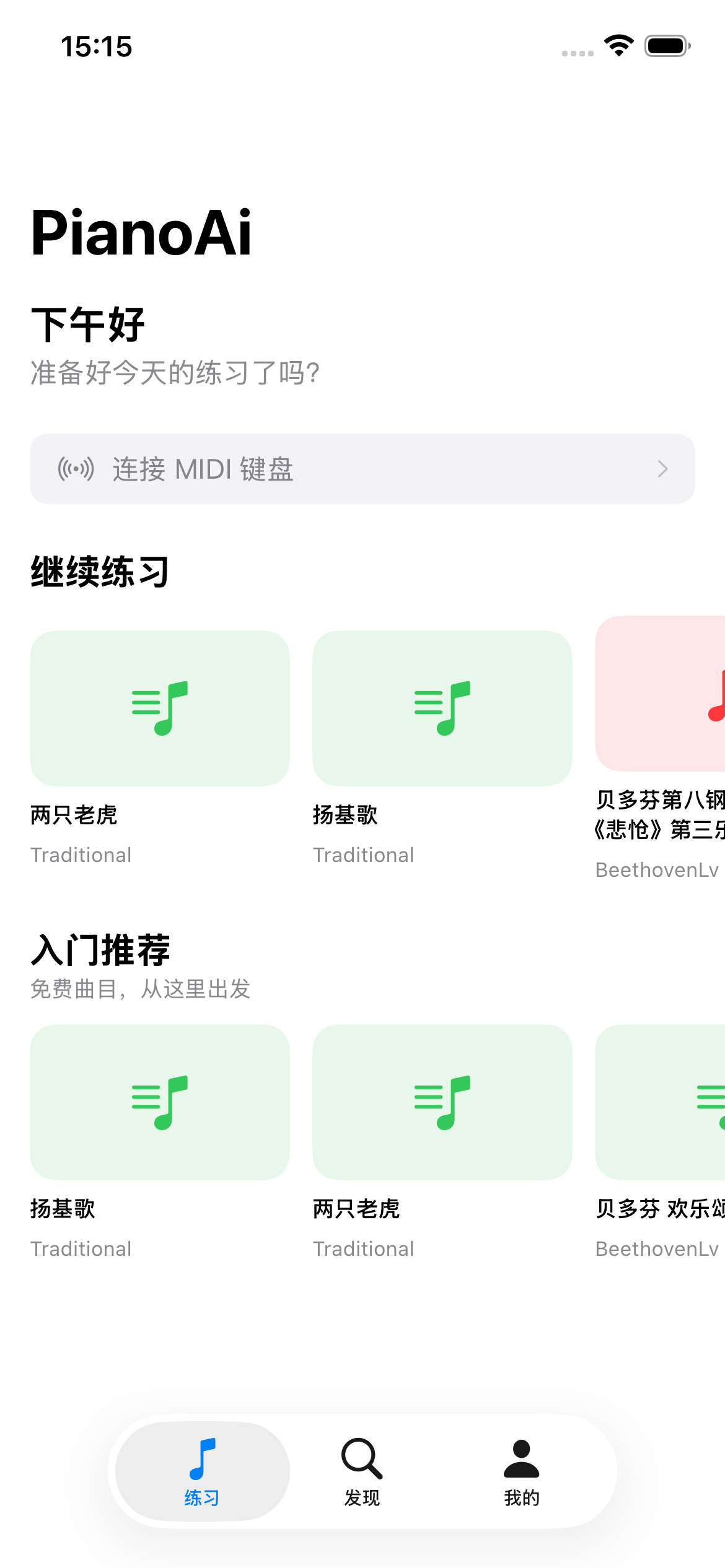
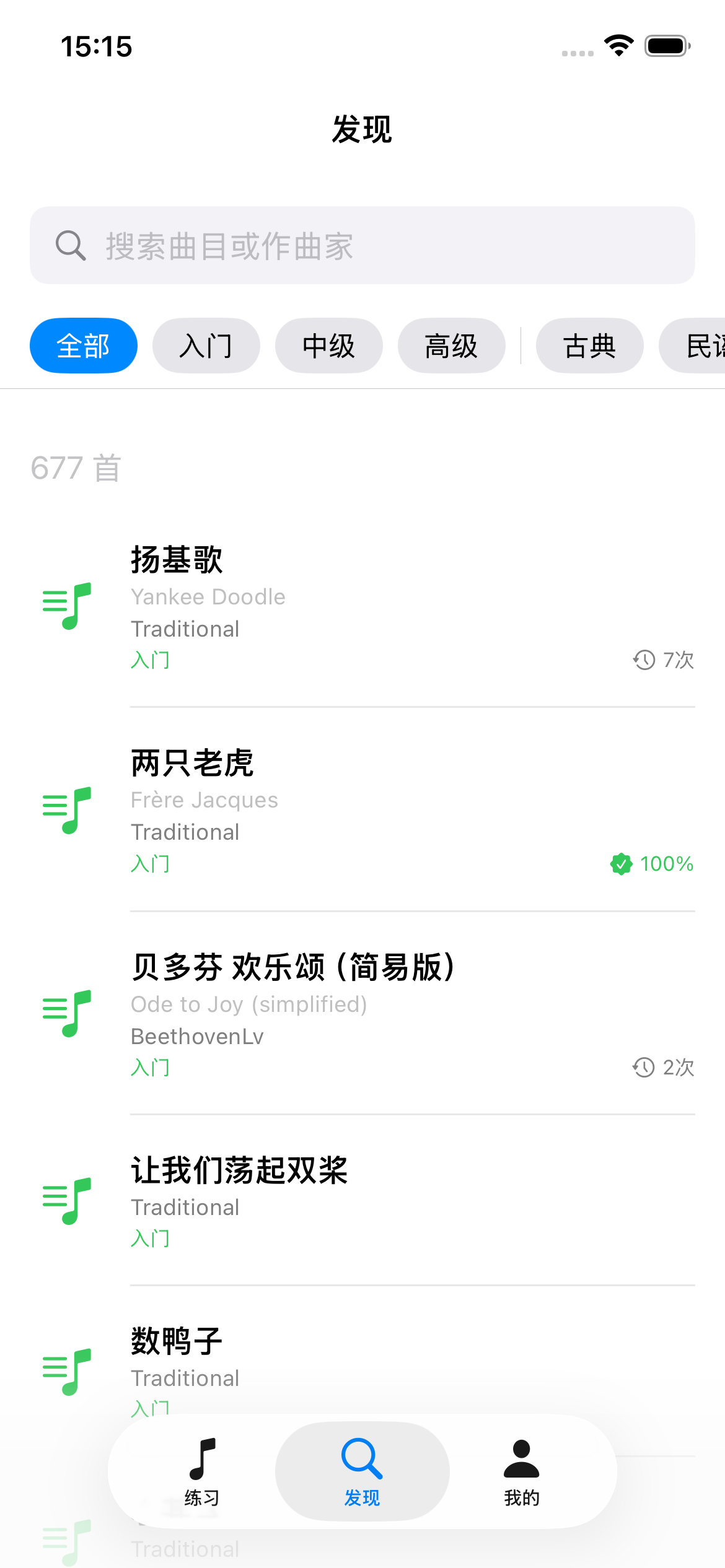
Practice your way
Play along with the demo, or let the app wait for each right note — and follow the real score with Plus.
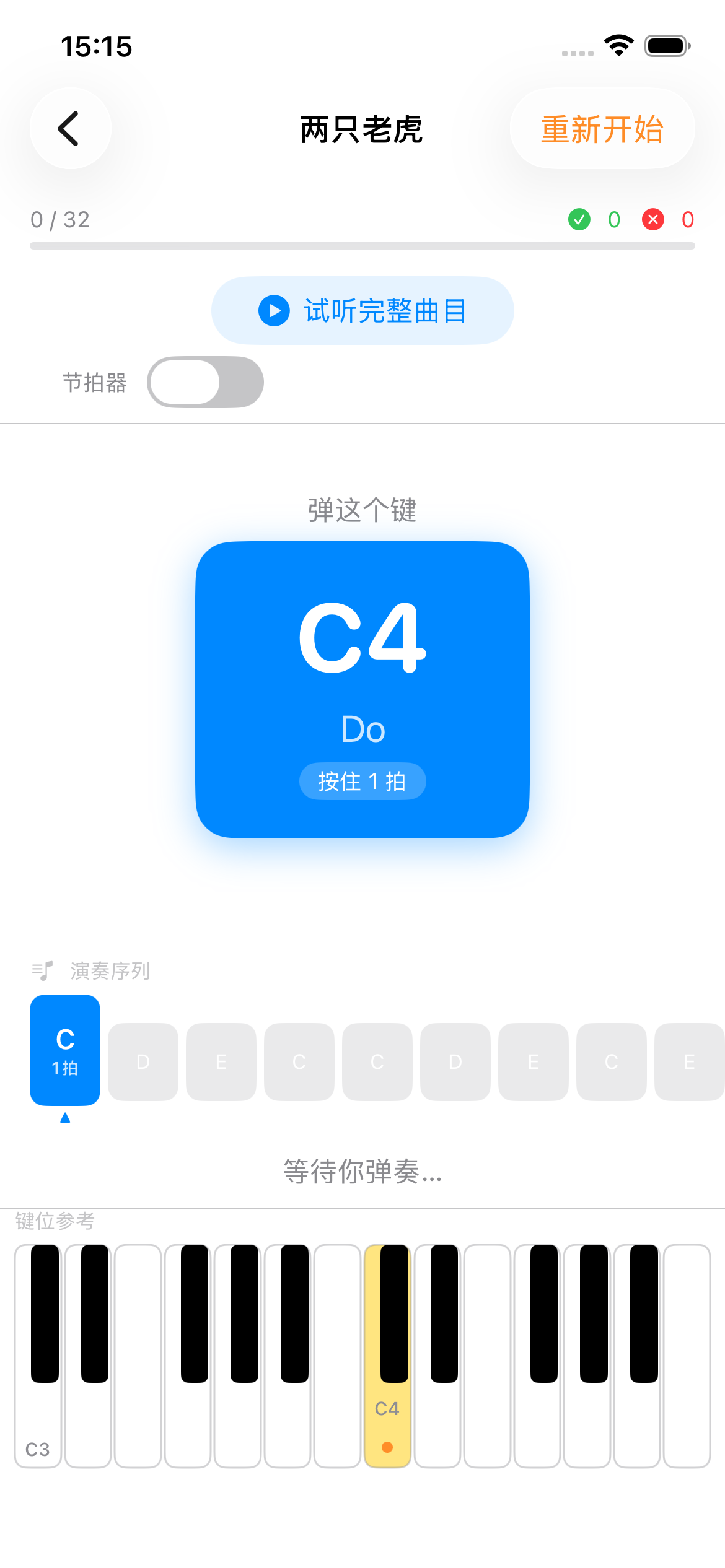
Play along, or go at your own pace
Play Along: the demo plays and the score follows — on any piano, slower if you like. At Your Pace: the app waits for the right note before moving on and marks mistakes as you play, on a digital piano, a MIDI keyboard or the keys on screen.
- ✓Slow down to 50% and loop any passage
- ✓Let the demo play one hand while you play the other
- ✓Note-by-note checking with a MIDI keyboard
- ✓Count-in and metronome
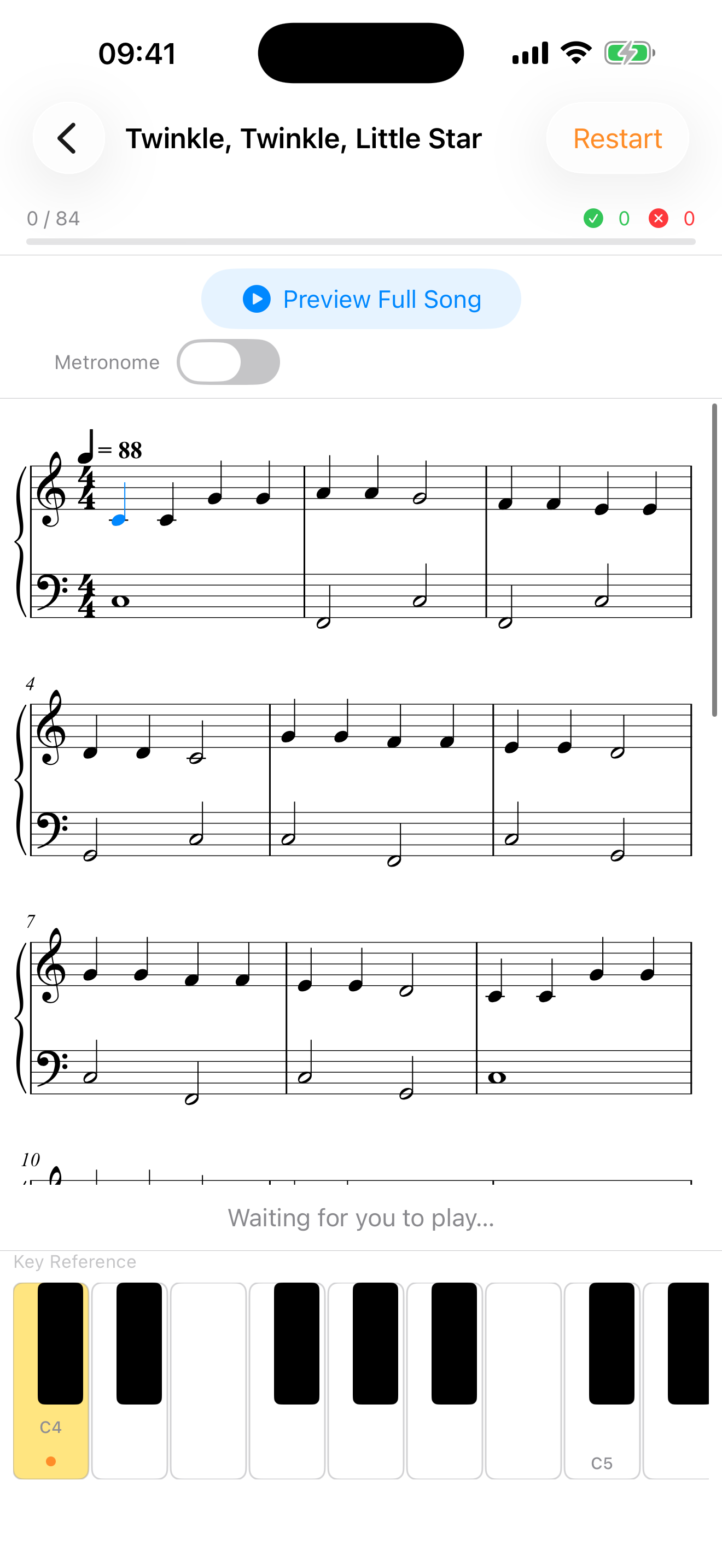
Sheet music view
Read the real score as you play
Practice from proper engraved notation, with the note you're on highlighted as you go — the bridge from playing by colour to genuinely reading music.
- ✓Real engraved notation, not simplified bars
- ✓The current note stays highlighted as you play
- ✓Portrait on iPhone, full spread on iPad
- ✓Tap bars to loop them
- ✕Can't tell if you're playing the right notes
- ✕No feedback between lessons
- ✕Generic courses that don't fit your level
The score, the demo and your next step — on your music stand.
Play along with the demo at your own speed, loop the passage that trips you up, and record yourself to hear the difference. With a digital piano connected, every note is checked, and each round ends with what to practice next.
Everything you need to learn piano
Piano AI puts a friendly, structured curriculum for beginners on your music stand.
Real-Time Feedback
On a digital piano or MIDI keyboard, Piano AI checks every note you play and flags mistakes the moment they happen.
MIDI Keyboard Support
Connect a digital piano or MIDI keyboard for precise, note-perfect tracking — or play your acoustic along with the demo and record yourself.
Hear It Before You Play It
Hear a piece in full before you start, so you know how it should sound — and what you're working towards.
Personalized Learning Path
A quick assessment builds a practice plan matched to your level and goals — no guesswork about what to play next.
Curated Song Library
Real pieces with composer, arranger, and difficulty levels — from beginner melodies to advanced arrangements.
Progress & Practice Stats
Daily practice rings, weekly streaks, total minutes, and accuracy trends keep you motivated session after session.
From first note to full song in three steps
Tell us your goal
A quick assessment learns your experience level, goals, and the music you love.
Get your personalized plan
Get a book matched to your level, and a plan for each day — no guesswork.
Practice & improve
Play along with the demo, get every note checked on a digital piano, and watch your progress over time.
Watch yourself improve
Every session is measured, so progress never feels vague. Piano AI turns your practice into clear numbers — daily goals, streaks, and accuracy trends that keep you coming back.
- ✓Hit your daily practice-minute goal
- ✓Keep weekly streaks and active-day momentum
- ✓See accuracy climb as you improve
- ✓Count songs practiced and completed
Goal: 60 min
18 min to go — almost there
Works with the piano you already have
Whether you own a grand piano or a starter keyboard, Piano AI meets you where you are. All you need is your instrument and an iPhone.
Acoustic piano
Phone on the music stand: the demo plays and the score follows. Play along, slow it down, loop a passage, and record yourself to hear your progress.
Digital keyboard
Play along with the demo and record yourself through its speakers — or connect it as a MIDI keyboard so the app checks every note.
MIDI connection
Connect a MIDI keyboard over USB or Bluetooth for note-perfect, zero-latency feedback.
Built to earn your confidence
Learning to play is personal. We handle your data with care and keep you in control every step of the way.
Sign in, password-free
Use Sign in with Apple, Google, or email. We never receive or store your Apple or Google password.
Your recordings stay yours
The microphone is used only when you tap Record. Recordings stay on your phone — never uploaded, never used for advertising.
You're in control
Grant or revoke microphone access anytime in your device settings, and delete any recording in the app.
Start free, upgrade when you're ready
Download and start playing for free. Plus unlocks the full library, the method books and sheet music — and your first week is on us.
Free
Everything you need to get started.
- ✓Starter songs and beginner books
- ✓Play Along with slow-down and loops
- ✓Note-by-note checking with a MIDI keyboard
- ✓Recording diary, stats and streaks
Piano AI Plus
The full library, and the full method.
$6.67/month, billed annually
- ✓Everything in Free
- ✓The full library, from Bach to Debussy
- ✓Method books: Diabelli, Burgmüller, Schumann, Bach
- ✓Sheet music view while you play
Prices shown in USD and may vary by region. Subscriptions renew automatically until cancelled — cancel anytime in your App Store settings.
Frequently asked questions
How do I create an account?
You can sign up with your email address, or use Google Sign-In or Sign in with Apple for quick, passwordless access. When you sign in with a third-party provider, Piano AI only receives basic profile information — such as your name and email address — to create and personalize your account. We never receive or store your Google or Apple password. Your information is handled in accordance with our Privacy Policy.
Do I need a real piano or keyboard?
It's best to have one. On an acoustic piano you play along with the demo and record yourself; with a digital piano or MIDI keyboard connected, the app checks every note. No piano yet? Start with the keys on screen.
Can I connect a MIDI keyboard?
Yes. You can connect a MIDI keyboard over USB or Bluetooth for the most precise, zero-latency note tracking. Without MIDI, play along with the demo on any piano and record yourself to hear your progress.
What's the difference between Play Along and At Your Pace?
Play Along plays the demo while the score follows: play along on any piano, slow it down, loop a passage, or let the demo play one hand. At Your Pace waits for the right note before moving on and marks mistakes — it needs a digital piano or MIDI keyboard, or the keys on screen.
What skill level is Piano AI for?
Piano AI is designed for complete beginners through early intermediate players, with content that grows alongside your skills.
How does the feedback work?
With a digital piano or MIDI keyboard connected, Piano AI checks every note you play against the score and marks mistakes right away, and each round ends with a few suggestions on what to practice next. On an acoustic piano, record yourself and compare takes in your recording diary.
What is the sheet music view?
It shows the real engraved score while you play, keeping the note you're on highlighted and the current bar marked — tap bars to loop them. The sheet music view is a Plus feature; pieces that don't have a score yet use the standard view.
Is there a free version?
Yes. Piano AI is free to download and includes starter songs and beginner books, both play modes with slow-down and loops, the recording diary and your practice stats. Piano AI Plus unlocks the full library, the method books and the sheet music view — and your first week of Plus is free.
How much does Plus cost, and can I cancel?
Plus is $9.99 per month, or $79.99 per year (about $6.67 a month — roughly 33% less). Both plans start with a free 1-week trial. Prices are shown in USD and may vary by region. Subscriptions renew automatically, and you can cancel anytime from your App Store settings — you keep Plus until the end of the period you've paid for.
Is Piano AI available on Android?
Not yet — Piano AI is currently available on the App Store for iPhone and iPad. An Android version is in the works; follow us on social media to hear when it lands.